More “I can do this.”
In everyday life.
A morning coffee. A favorite program. A familiar app. Help someone follow the activities that matter to them, using their own things and words that feel familiar.

A LITTLE CLARITY GOES A LONG WAY
Turn your own photos into instructions people can follow. For the everyday things that matter—and the practical work worth getting right.
Made for iPhone, iPad & Android Follow on screen or export to PDF
YOUR EVERYDAY, MADE EASIER

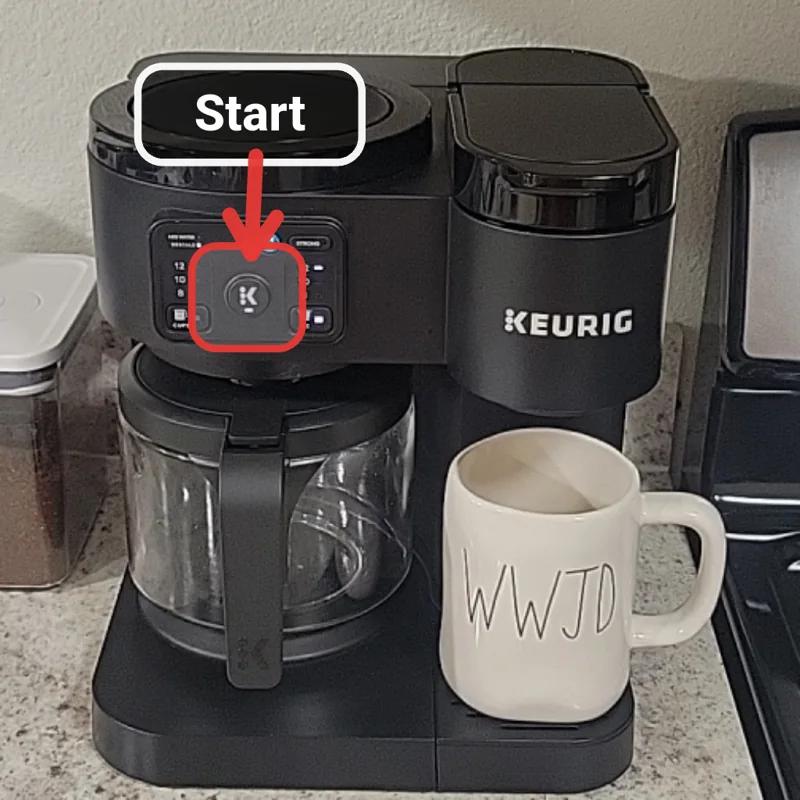
Place your mug under the dispenser and push the start button.
Real coffee guide preview. Workshop illustration.
FAMILIAR THINGS. A CLEARER WAY.
Sometimes the missing piece is seeing exactly what to do. Make a guide that looks like real life, because it is.
A morning coffee. A favorite program. A familiar app. Help someone follow the activities that matter to them, using their own things and words that feel familiar.

Which tool? Which part? Which step next? Capture the practical details of assembly, setup and training so the next person has a clear reference to follow.
DON’T JUST READ ABOUT IT
Try stepping through guides made with the app. Notice how the photographs and highlights make each action specific.
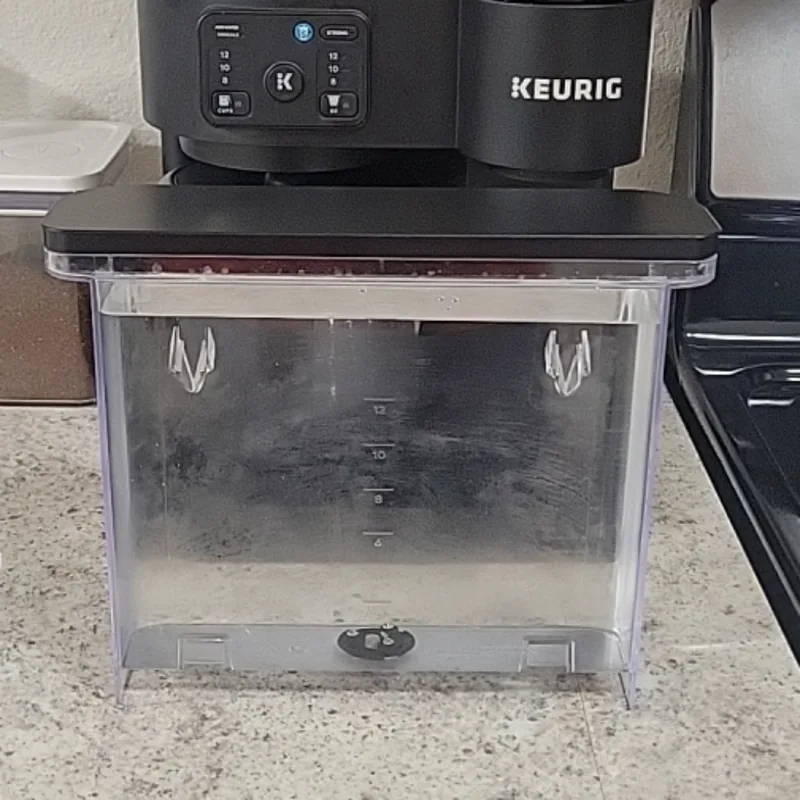
A familiar morning routine, made with the actual coffee maker.
Loading the sample guide…

Interactive website preview of real guide content. Create and follow your own guides in the mobile app.
FROM “LET ME SHOW YOU” TO “HERE’S HOW”
You already know the task. Clear Steps gives you a simple way to put that knowledge into someone else’s hands.
Take a photo or choose one from your gallery. Use the actual device, room, equipment or component the person will see.
Add short instructions. Use arrows, boxes, circles and labels to show exactly where to look and what to do.
Arrange your steps, follow the guide on screen, or export a PDF to share and print. Adapt it as the task changes.
A CLOSER LOOK AT THE APP
From your first photograph to the finished guide. Take a look inside the actual app.

Start with the app’s introduction, then choose a familiar task to explain.

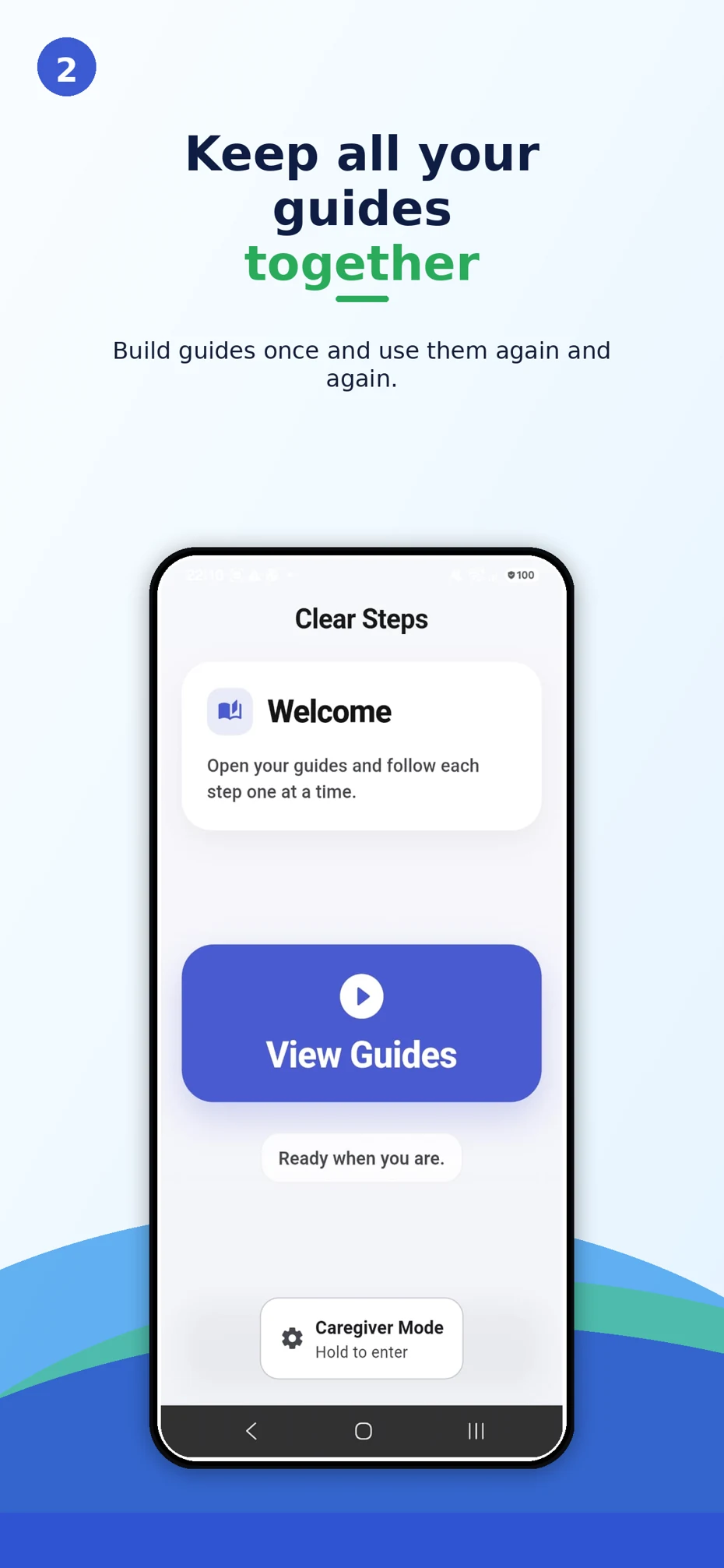
Use View Guides to open a guide and follow its steps again.

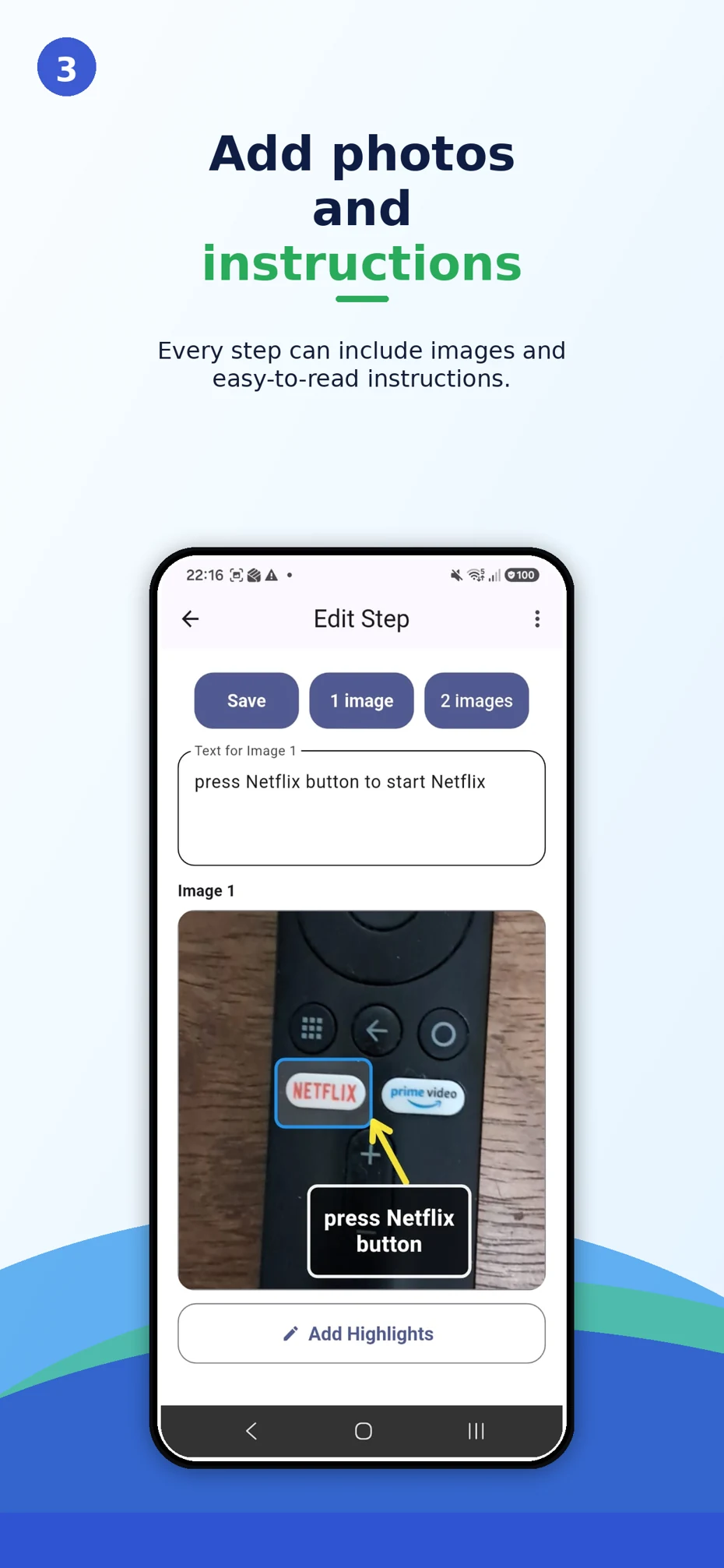
Take photos right in the app or choose images, then write each instruction.

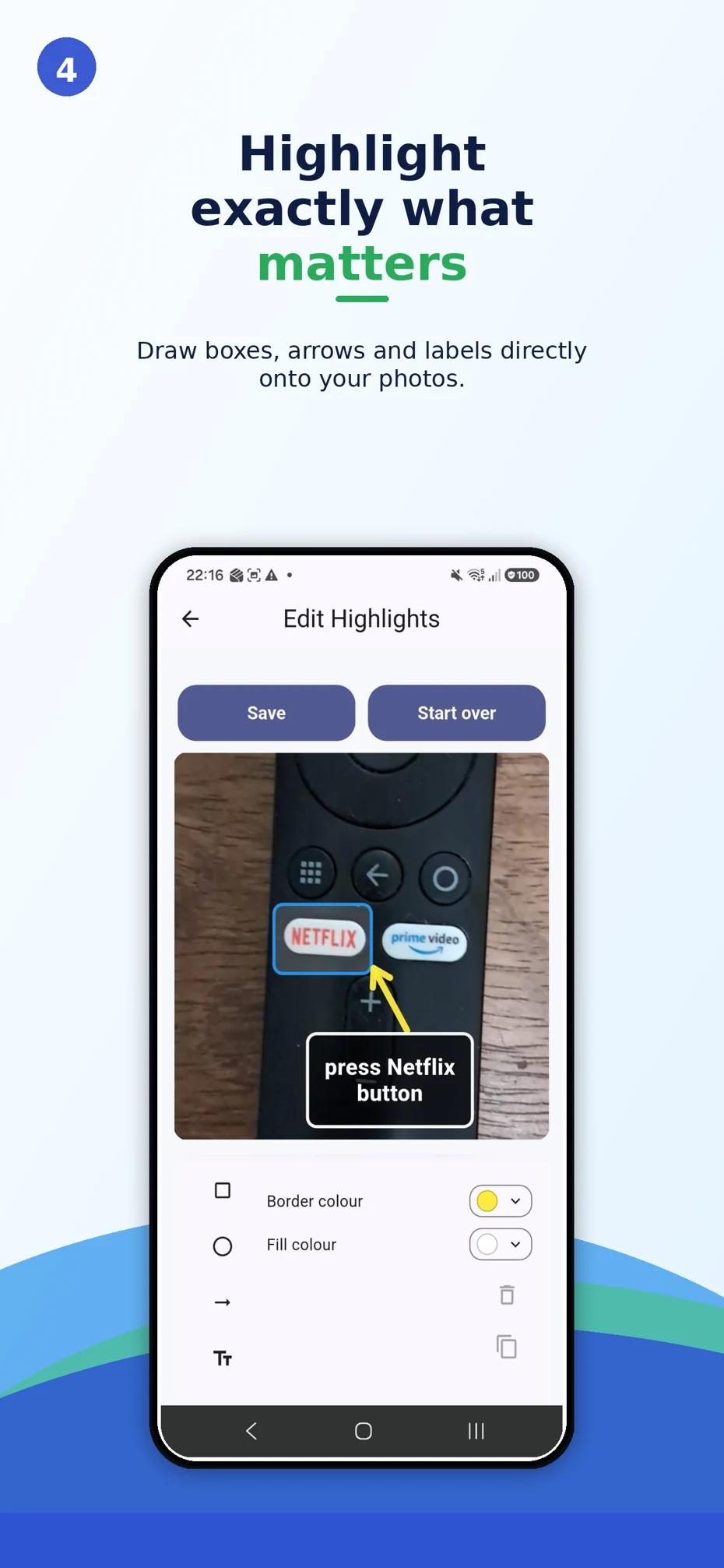
Add arrows, boxes and labels directly to the photo.

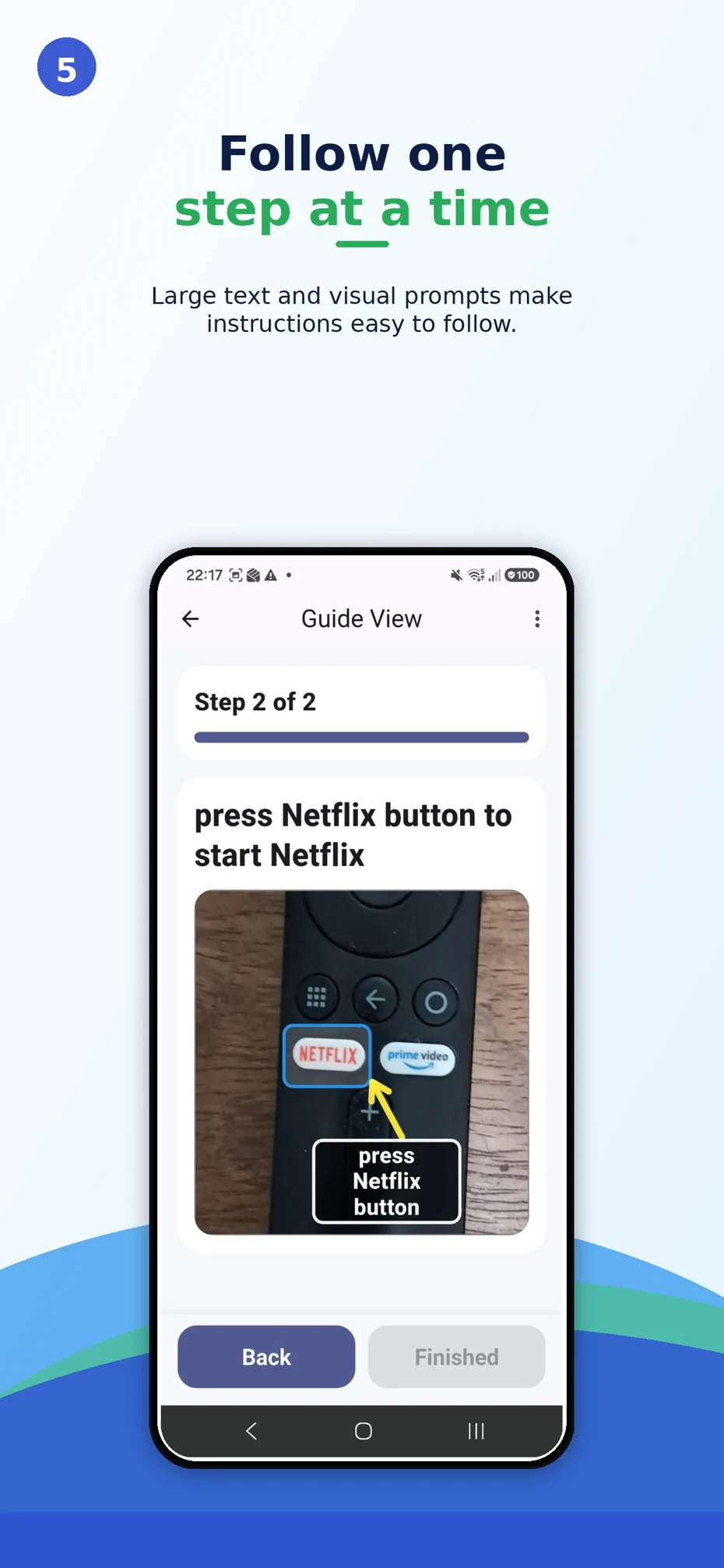
See the instruction and its photo together in the focused guide view.

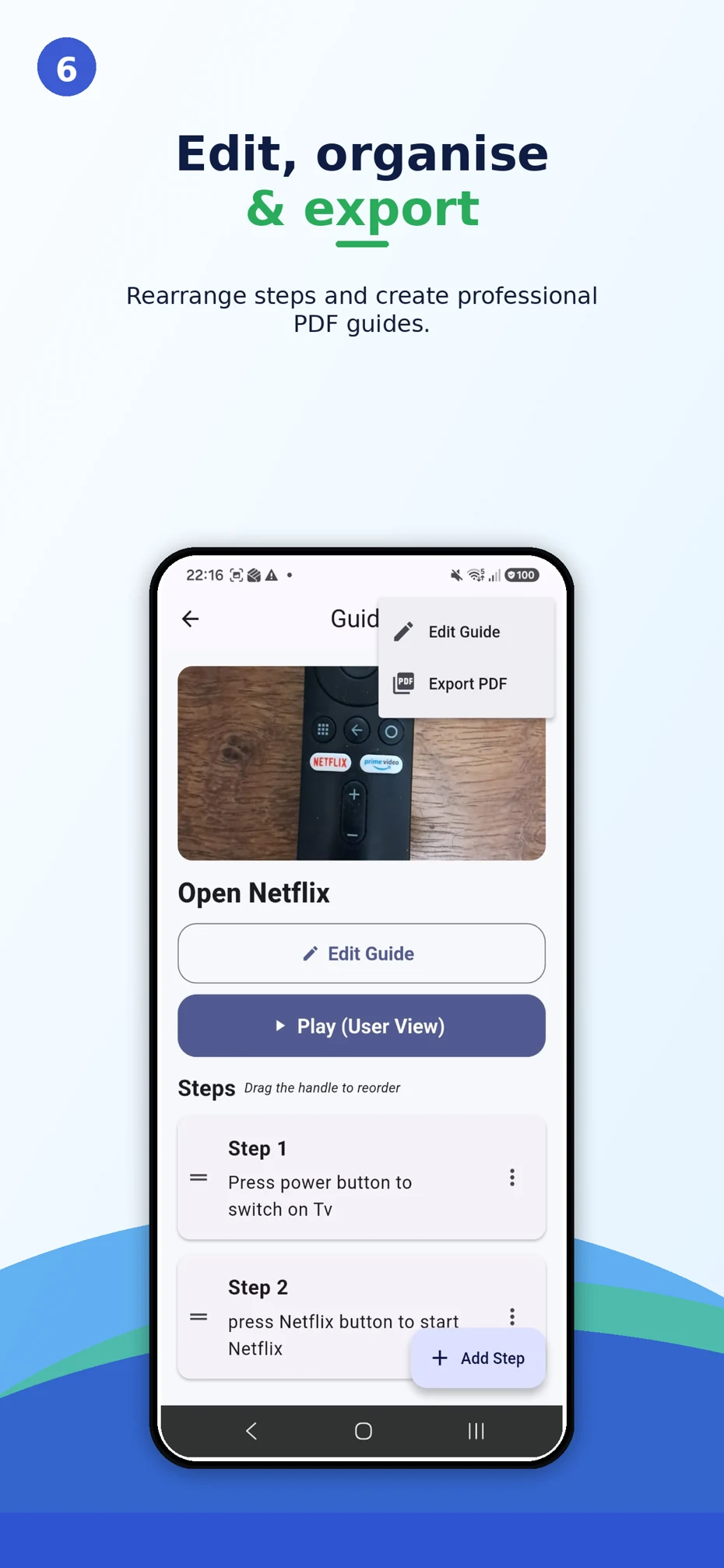
Reorder the steps, edit the guide and export a PDF to share or print.

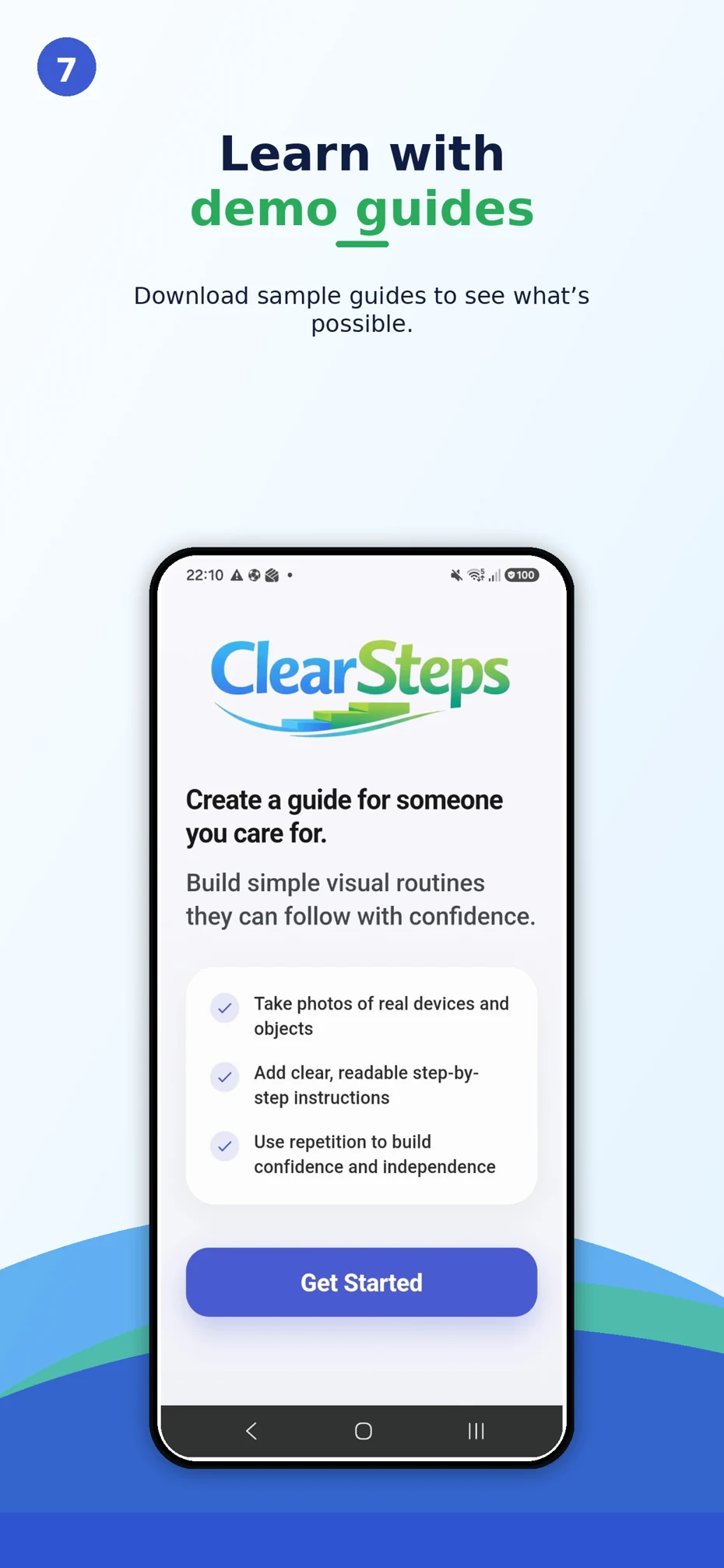
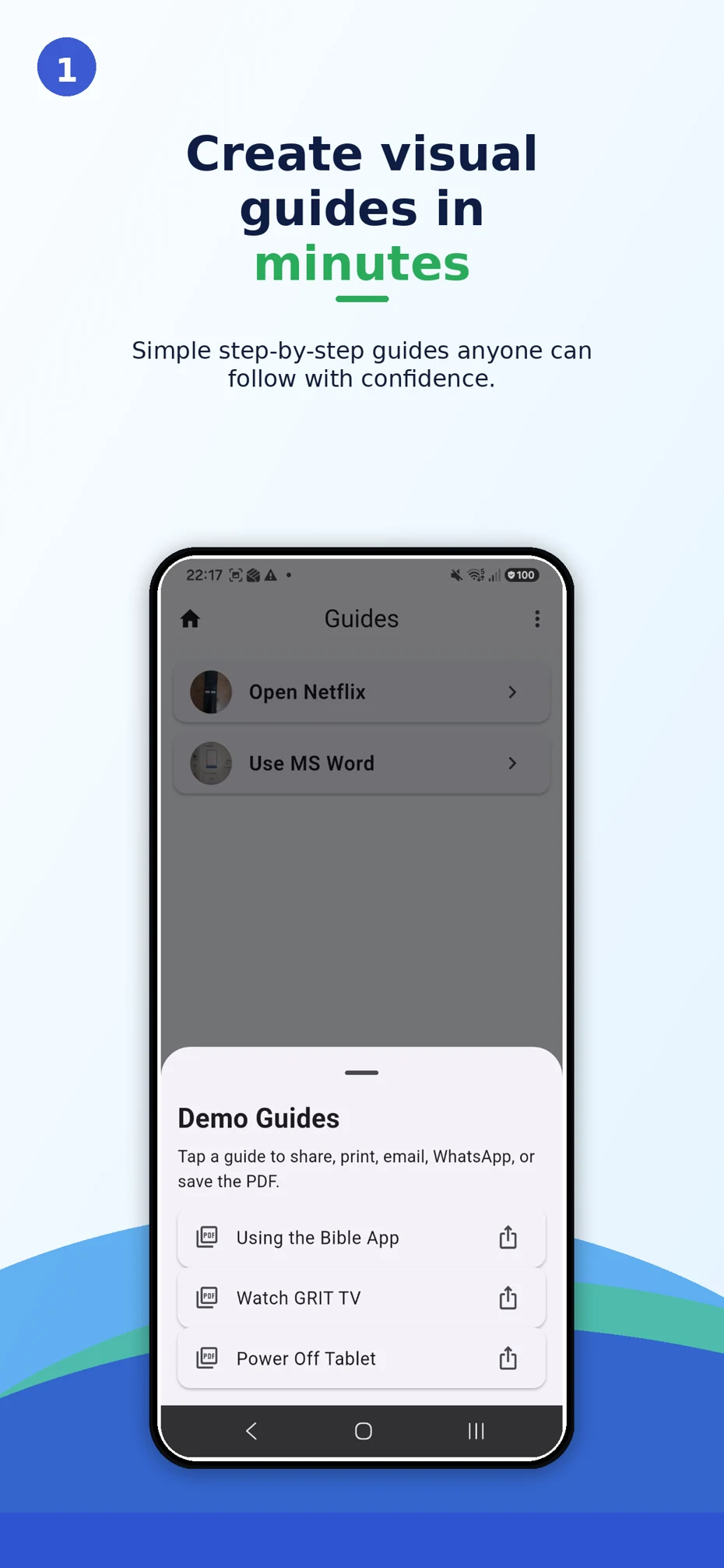
Open the Demo Guides list to share, print or save an example PDF.
Actual Android app screens, shown in order from getting started to demo guides. Appearance may differ by device.
THE POWER IS IN THE PERSONAL
A guide can cover a couple of steps or a longer process. It can explain a single button or a whole assembly. What matters is that it makes sense to the person using it.
A FEW CLEAR ANSWERS
Something else on your mind?
We’d love to hear from you.
Anyone who creates practical instructions for someone else: families, caregivers, support workers, teachers, trainers and workplace teams. Make the content and level of detail fit the person and task.
Yes. Take photographs right in the app or select images from your gallery. Each step can include one or two images, written instructions and highlights such as arrows, boxes and text labels.
Yes. Export a guide as a PDF, then share it using your device’s sharing options or print it. Try one of the real sample PDFs in the guide preview above.
Clear Steps Guides is available on Google Play for Android and on the Apple App Store for iPhone and iPad. Check the relevant store listing for current device compatibility and availability in your region.
The app is free to download. Check the app for current free features and any available premium options.
Absolutely. Start with one task and the people who know it best. Contact us to discuss how Clear Steps Guides could fit your care service, training program or workplace.
YOUR FIRST CLEAR STEP STARTS HERE
Choose a task. Take a photo. Create a guide.
A clear next step can make all the difference.
For iPhone, iPad and Android. Free to download.
LET’S MAKE THINGS CLEARER
Talk to us about Clear Steps Guides for your family,
care team or workplace.